¶ Getting started
¶ 1. Connect
- Start Minecraft version 26.3. Other versions are not let in.
- Go to Multiplayer → Add Server.
- Enter the address:
hyperknox.de - Connect – done.
Tip for LabyMod: If the server does not show up with
hyperknox.de, usemc.hyperknox.de.
¶ 2. Your first visit
¶ The resource pack
Minecraft asks you: Do you want to load the server's resource pack?
Click “Yes”. The pack is required – without it you cannot see the menu, furniture and displays properly.
It only takes a little longer to load the first time.
¶ The welcome window
On your very first visit a large welcome window appears in front of you:
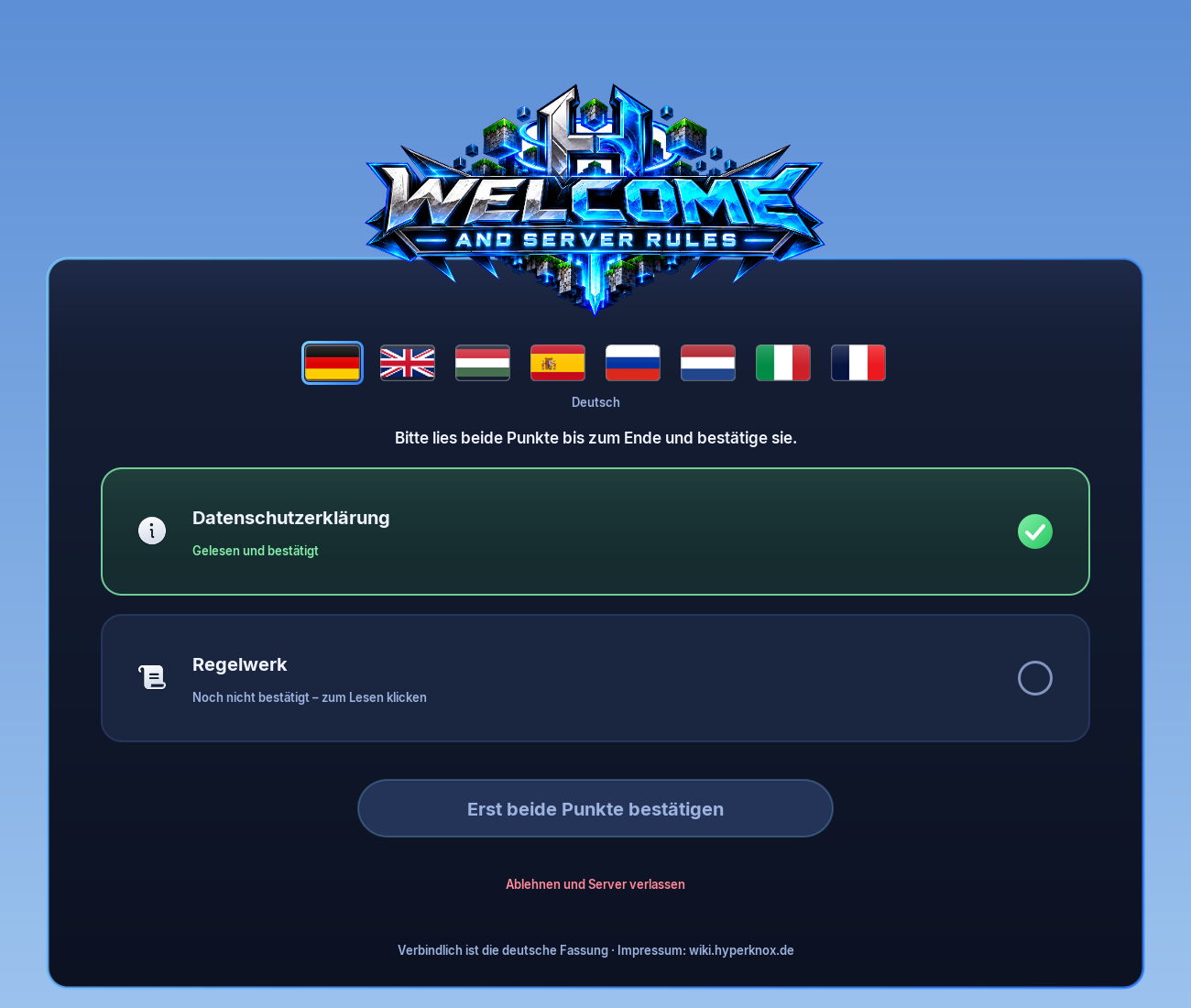
- Click the flag of your language (at the top). Then everything is in your language.
- Click “Privacy policy” and read it to the end. Then confirm.
- Click “Rules” and read them to the end. Then confirm.
- When both items have a green tick, click the big button at the bottom. Done – you can play!
While the window is open you cannot walk away, chat or use commands.
If you do not want to agree, click “Decline and leave the server”.
¶ 3. Finding your way around
| Command | What it does |
|---|---|
Key F or /menu |
Opens the menu – from here you reach Homes, Profile, Vote, Help and Settings. How it works: The menu |
| Key TAB (hold) | Shows all players in the network. What you see there: Scoreboard & tab list |
/spawn |
Takes you to the spawn of the world Erde |
/portal (also /lobby, /hub) |
Takes you to the portal room (lobby) |
/server |
Shows all servers – with Warp III you switch directly with /server <name>, otherwise through the portal |
¶ 4. The most important commands to start with
| Command | What it does |
|---|---|
/sethome [name] |
Saves your current position as a home – without a name it is called e.g. home2 automatically |
/home [name] |
Teleports you to a home – without a name directly, if you only have one, otherwise a list |
/wallet |
Shows all your balances |
/pay <player> <amount> |
Sends money to a player – amount in sats (e.g. /pay Hippo 500) |
/msg <player> <text> |
Private message |
/ec |
Opens your ender chest – anywhere |
/craft |
Opens a crafting table – anywhere |
/cooldowns |
Shows when you can use perks and commands again |
/vote |
Opens the vote page in the menu – collect VoteCoins every day (Voting) |
/bugreport |
Something is broken? Report it to the team here |
A complete list can be found under All player commands.